
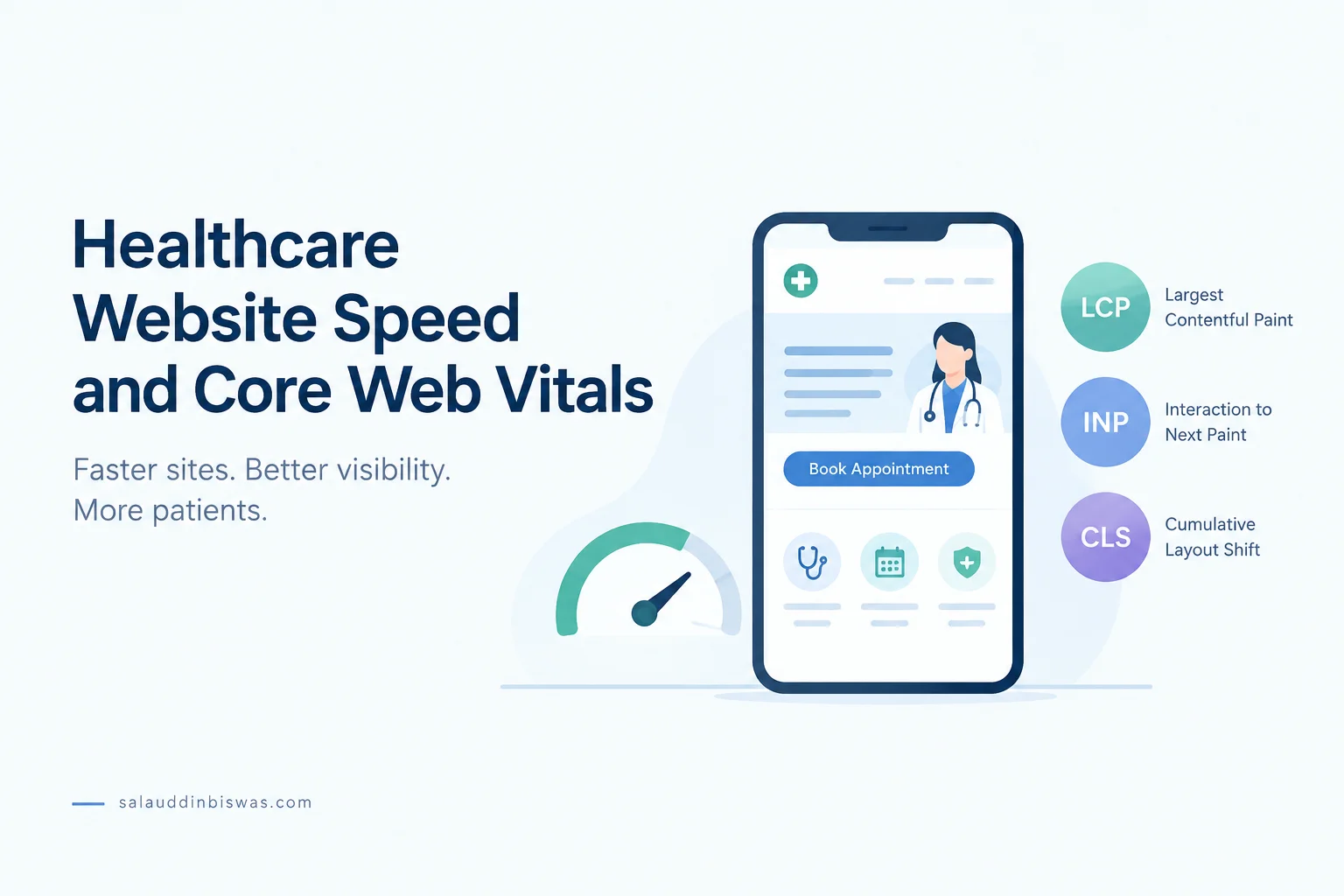
Healthcare Website Speed and Core Web Vitals
Imagine a parent searching for a pediatrician at midnight because their child has a fever. Your practice appears in the search results. They tap your site, wait several seconds for a page that never loads, then leave and call a clinic whose website opened right away.
In that moment, content doesn’t matter. Speed does. These missed opportunities happen quietly, without complaints or feedback.
This article explains how to make healthcare websites faster from a healthcare perspective. It covers why Core Web Vitals matter, what slows sites down, which pages to fix first, and when to bring in a specialist.
Quick Answer
To speed up a healthcare website, make your main pages load quickly, respond fast to clicks and taps, and stay visually steady for real users.
Google measures this experience through Core Web Vitals:
- LCP: How fast the main content appears
- INP: How fast the page responds to interaction
- CLS: How stable the layout stays while loading
Poor Core Web Vitals can lead to weaker search visibility, lower user trust, and more friction when visitors try to book, call, or fill out a form.
Why Healthcare Website Speed Matters
Speed isn’t just a technical detail. It affects three things your practice depends on: visibility, trust, and patient action.
Rankings
If two clinics offer the same service in the same area, the faster and more stable site has an edge. Core Web Vitals are part of Google’s page experience signals. They won’t outrank strong content on their own, but they matter when competing pages are similar in quality.
Local healthcare searches are often close calls. Speed is one technical factor you can improve and measure fairly quickly.
Trust
When a website stalls, jumps, or freezes, visitors notice right away, often before they read a single word. It suggests the site isn’t well maintained. In healthcare, that first impression carries more weight than in most fields.
Patients often form their first opinion of your practice through your website, before they speak to anyone. A slow page creates doubt at the exact moment you want them to feel confident.
Conversion
Most healthcare websites have one job: help the right person take the next step, whether that’s calling, booking an appointment, or filling out a contact form.
Every step between finding your clinic and booking is a chance for someone to leave. If the booking process is slow, you lose people just as they’re ready to act. These losses don’t show up as complaints. They show up as fewer patients.
What Core Web Vitals Mean for Healthcare Websites
Core Web Vitals measure page experience in three ways. Google rates a page as “good” when at least 75% of real visits meet each threshold.
| Metric | What It Measures | Good Threshold |
| Largest Contentful Paint (LCP) | Loading speed of the main content | 2.5 seconds or less |
| Interaction to Next Paint (INP) | Responsiveness to taps, clicks, and typing | 200 milliseconds or less |
| Cumulative Layout Shift (CLS) | Visual stability while the page loads | 0.1 or less |
Largest Contentful Paint (LCP)
The problem: Someone visits your service page, and the main content takes several seconds to appear. They see a blank or half-loaded screen, lose patience, and leave before they ever see your services.
On healthcare websites, the largest element is often a hero image, a doctor’s photo, or a large banner. Service and provider pages tend to rely on big images, which can hold up everything else on the page.
Google’s standard is an LCP of 2.5 seconds or less for most real visits.
Interaction to Next Paint (INP)
The problem: Someone taps “Book an Appointment” and nothing happens. They tap again, the page lags, and they assume the button is broken. So they leave.
INP measures how quickly a page responds when someone taps, clicks, or types. It replaced First Input Delay as a Core Web Vital in 2024. On healthcare websites, booking forms, insurance filters, pop-up overlays, and chat widgets are common causes of poor INP.
Google’s standard is an INP of 200 milliseconds or less.
Cumulative Layout Shift (CLS)
The problem: Someone goes to tap “Call Now,” but a cookie banner or promo bar appears and pushes the button down. They tap the wrong thing and land somewhere they didn’t expect.
CLS measures how much content moves while the page loads. On a healthcare site, sudden shifts look careless and can send people to the wrong place when they need clear information.
Google’s standard is a CLS of 0.1 or less.
Field Data Beats a Single Test Score
Lab tools like Lighthouse simulate one visit in a controlled setting. Field data shows how real people experience your site across different devices, browsers, and connections.
Use lab tests to find and diagnose issues. Then check the Core Web Vitals report in Google Search Console to see which problems affect real visitors most and whether your fixes are working.
What Usually Slows Healthcare Websites Down
The usual advice is to “compress images and reduce scripts.” That helps, but it isn’t enough. Healthcare sites tend to collect extra weight over years, and much of it goes unchecked.
Oversized Provider, Treatment, and Location Images
Medical websites rely on doctor headshots, team photos, facility tours, and treatment images. Many are uploaded at full resolution straight from the photographer and never resized.
A provider directory with twenty uncompressed headshots can easily add up to tens of megabytes in images alone. Resizing those images to their display size and converting them to a modern format like WebP can shrink file size dramatically. That directly improves LCP on some of your most visited pages.
Heavy Templates and Page Builders
Many themes and page builders are designed to look impressive in demos. They often load sliders, animations, icon libraries, and extra CSS on every page, including simple service and contact pages that don’t need them.
The problem grows with multiple locations. One heavy template may power dozens of location and service pages. Fixing the template improves all of them. Leaving it broken slows down the whole site.
Appointment Booking and Scheduling Widgets
Third-party booking tools are useful, but they often bring their own scripts, styles, and frames. Sometimes they load on every page, even where nobody books anything.
For example, a clinic might load its scheduling widget sitewide when it’s only needed on the “Book an Appointment” page. Limiting the widget to that page removes a large amount of script weight from everywhere else. It can also improve INP on the pages most likely to drive conversions.
Chat Tools, Analytics Tags, and Third-Party Scripts
Healthcare sites often pile up tools over time:
- Live chat or chatbot widgets
- Call tracking scripts
- Analytics and tag managers
- Advertising and remarketing pixels
- Cookie and consent banners
- Review and reputation widgets
Each tool may seem small. Together, they compete for browser resources and slow down every interaction. A site running eight or ten of these at once usually has poor INP, even if its images are well optimized.
Privacy matters here too. Some tracking tools can raise HIPAA concerns on patient-facing pages. Removing unused scripts can improve both speed and data privacy.
Maps, Video, and Media-Heavy Location Pages
Location pages often include embedded Google Maps, facility walkthrough videos, and virtual tours. Each one loads external code, usually before visitors even scroll to that part of the page. On a mid-range phone, that adds up fast.
A common fix is to replace the live map embed with a static image that opens the full map when tapped. This cuts a significant amount of code from the initial load.
Weak Hosting, Caching, or Delivery Setup
Even a well-optimized page can load slowly on a weak server. Sites on shared hosting without page caching or a content delivery network (CDN) will see delays before content ever reaches visitors.
Why Poor Core Web Vitals Hurt Healthcare Sites Differently
A slow e-commerce page loses a sale. A slow healthcare page can mean a patient who needs care chooses another provider. The stakes and emotions are higher.
Several factors make the impact sharper:
- Visitors are often stressed or uncertain. They have less patience for problems than someone casually browsing.
- Many searches happen on mobile. People search while multitasking, sitting in waiting rooms, or late at night, often on mid-range phones.
- Trust is central. If a page feels broken or slow, people lose confidence before they ever speak to your staff.
- The next step carries the most risk. Booking, calling, and submitting forms are where widgets and scripts cause the most delay and the biggest losses.
- People rarely complain about speed. They just leave, which makes these problems easy to miss without the right data.
Which Healthcare Pages to Prioritize First
Don’t try to fix every page at once. Start with the pages that get the most search traffic and carry the highest patient intent.
Service Pages
These pages target your main searches. They’re where visitors decide whether you offer what they need. Start with LCP so the main content appears quickly and isn’t held back by a large hero image.
Provider Profile Pages
Patients often search for a specific doctor by name. These pages tend to include large headshots, credential badges, and review widgets. Resize images and load below-the-fold elements only when needed.
Location Pages
For practices with multiple locations, these pages draw local search traffic and include maps, hours, directions, and photos. Because they usually share one template, fixing one often fixes many.
Booking and Contact Pages
These pages directly affect conversions. With poor INP, taps may not register and forms can feel broken. Test every booking step on a real phone, not just a desktop.
High-Traffic Mobile Entry Pages
Check Search Console to see which pages get the most mobile traffic. Some may be blog posts or FAQs you wouldn’t expect. These pages shape first impressions for many new visitors.
What to Improve First on a Slow Healthcare Website
Focus on changes with the biggest impact and the lowest risk. Most healthcare sites see real gains from five areas.
1. Reduce Image and Media Weight
- Resize images to match their actual display dimensions.
- Convert images to a modern format such as WebP.
- Preload the main hero image to improve LCP.
- Replace live map embeds with a static image that loads the full map on tap.
A practice with 20 uncompressed headshots in its provider directory can carry heavy image weight on a single page. Resizing and converting those images usually cuts file size and noticeably improves LCP for that page.
2. Control Script and Widget Bloat
- List every third-party tool currently loading on your site.
- Remove tools that are no longer used or reviewed.
- Load booking widgets only on pages where booking actually happens.
- Delay chat widgets until after the page becomes interactive.
- Review each tool for both its speed impact and its privacy risk.
Consider a clinic that loads a booking widget, a chat tool, two analytics tags, a call tracker, and a review widget on every page, including the homepage and blog posts. Limiting each tool to the pages where it’s useful removes a lot of unnecessary script loading across the site.
3. Fix Template-Level Problems
- Remove unused sliders, animations, and icon libraries from shared templates.
- Reserve space for images, banners, and embeds so content doesn’t shift as the page loads.
- Fix the shared template first so improvements carry across every page that uses it.
A multi-location practice using one theme across 40 location pages can fix CLS on all 40 by reserving space for the map embed in the template, instead of editing each page individually.
4. Improve Caching and Asset Delivery
- Set up page caching on your server or through your hosting provider.
- Use a CDN to deliver images and static files.
- Upgrade hosting if server response stays slow after other fixes.
A practice on shared hosting without caching may still see slow server response, even after optimizing images and scripts. Enabling caching and serving static files through a CDN usually reduces time to first byte across the whole site.
5. Test Interaction Friction on Real Devices
- Move through menus, filters, and forms on a mid-range phone.
- Watch for delayed responses after taps, especially on booking and contact pages.
- Check that buttons and calls to action don’t move as the page loads.
A clinic’s booking page might work well on a high-end desktop but have serious INP problems on a mid-range Android phone, because the scheduling widget loads slowly on a weaker processor. Testing on real devices reveals issues that lab tools can miss.
Work through these improvements in order. Then recheck your field data a few weeks later, since real-user data takes time to reflect changes.
Speed is one part of a broader technical picture. For crawling, indexing, and overall site health, see our guide to Technical SEO for Healthcare Websites.
When to Get Healthcare Technical SEO Help
Some speed problems are easy to fix. Others point to deeper issues that need coordination across teams, tools, and templates.
Consider outside help when:
- Poor scores affect whole groups of pages, not just one or two URLs.
- The problems come from your theme or templates, and changes risk breaking the design.
- Third-party tools conflict, and nobody knows which ones are safe to remove.
- Booking and contact pages are underperforming, and your conversion data confirms it.
- Several stakeholders, such as marketing, IT, vendors, and agencies, manage the site, with no single owner.
- Speed needs to be balanced with privacy and compliance, especially for tracking scripts on patient-facing pages.
A structured review often shows that speed problems are tied to other technical issues. A Healthcare Technical SEO Audit looks at performance alongside crawlability, indexing, and overall site health.
Performance helps build trust, but it’s only one part of the picture. To learn how healthcare organizations build credibility with both search engines and patients, see our YMYL SEO page.
Frequently Asked Questions
Do Core Web Vitals matter for healthcare SEO?
Yes, but they aren’t the most important ranking factor. Google includes them in its page experience signals, and helpful, relevant content still carries more weight. Speed makes the biggest difference when competing pages are similar in quality.
What is a good speed target for a healthcare website?
Aim for an LCP of 2.5 seconds or less, an INP of 200 milliseconds or less, and a CLS of 0.1 or less, for at least 75% of real visits.
Why are healthcare websites often so slow?
Most slow down gradually. Over the years, they collect large provider images, heavy themes, booking widgets, chat tools, maps, and tracking scripts, usually without regular review. Few practices ever check what each tool costs in speed.
Can booking tools affect the speed of a healthcare website?
Yes. Many third-party schedulers load extra scripts and frames. Some load on every page, not just booking pages. Limiting them to the pages where they’re needed is often one of the fastest and most effective fixes.
Should healthcare websites prioritize mobile performance?
In most cases, yes. A large share of healthcare searches happen on phones, and mobile devices handle heavy pages less well than desktops. Check your own analytics to see how your visitors browse before deciding where to focus.
Conclusion
Healthcare website speed optimization isn’t about chasing a perfect Lighthouse score. It’s about removing the barriers between a patient’s decision to visit your site and their next step.
Start with your service, provider, location, and booking pages. Reduce media weight, control scripts, fix shared templates, and track progress with real-user data.
If your site needs more than quick fixes, our healthcare SEO services can help. We identify what’s slowing your site down, prioritize the fixes that matter most, and connect those improvements to better visibility, trust, and patient action.
References
The sources below support the technical guidance in this article. Review them periodically, since Google’s thresholds and recommendations may change.
- Google Search Central — Core Web Vitals and page experience ranking signals: google.com/search/docs/appearance/core-web-vitals
- dev — Core Web Vitals overview, including current LCP, INP, and CLS thresholds: web.dev/articles/vitals
- dev — Diagnosing and improving Largest Contentful Paint (LCP): web.dev/articles/optimize-lcp
- dev — Interaction to Next Paint (INP) optimization guidance: web.dev/articles/optimize-inp
- dev — Cumulative Layout Shift (CLS) causes and fixes: web.dev/articles/optimize-cls
- Google Search Central — Page experience overview, including Core Web Vitals, mobile usability, and HTTPS signals: google.com/search/docs/appearance/page-experience
- Google Search Console Help — Core Web Vitals report (field data for real users): google.com/webmasters/answer/9205520
- Google Search Central Blog — Transition from First Input Delay (FID) to Interaction to Next Paint (INP): google.com/search/blog/2023/05/introducing-inp
About the author
Salauddin Biswas is a healthcare website structure and content SEO specialist with an MA in Medical Anthropology from Heidelberg University, Germany. Since 2017, he has supported U.S. and global healthcare providers from Bangladesh. His work focuses on transforming clinical expertise and medical credibility into digital visibility that reaches patients.
Former Senior Research Associate, James P Grant School of Public Health, BRAC University. Co-Researcher, REACHOUT Consortium.



One Comment