
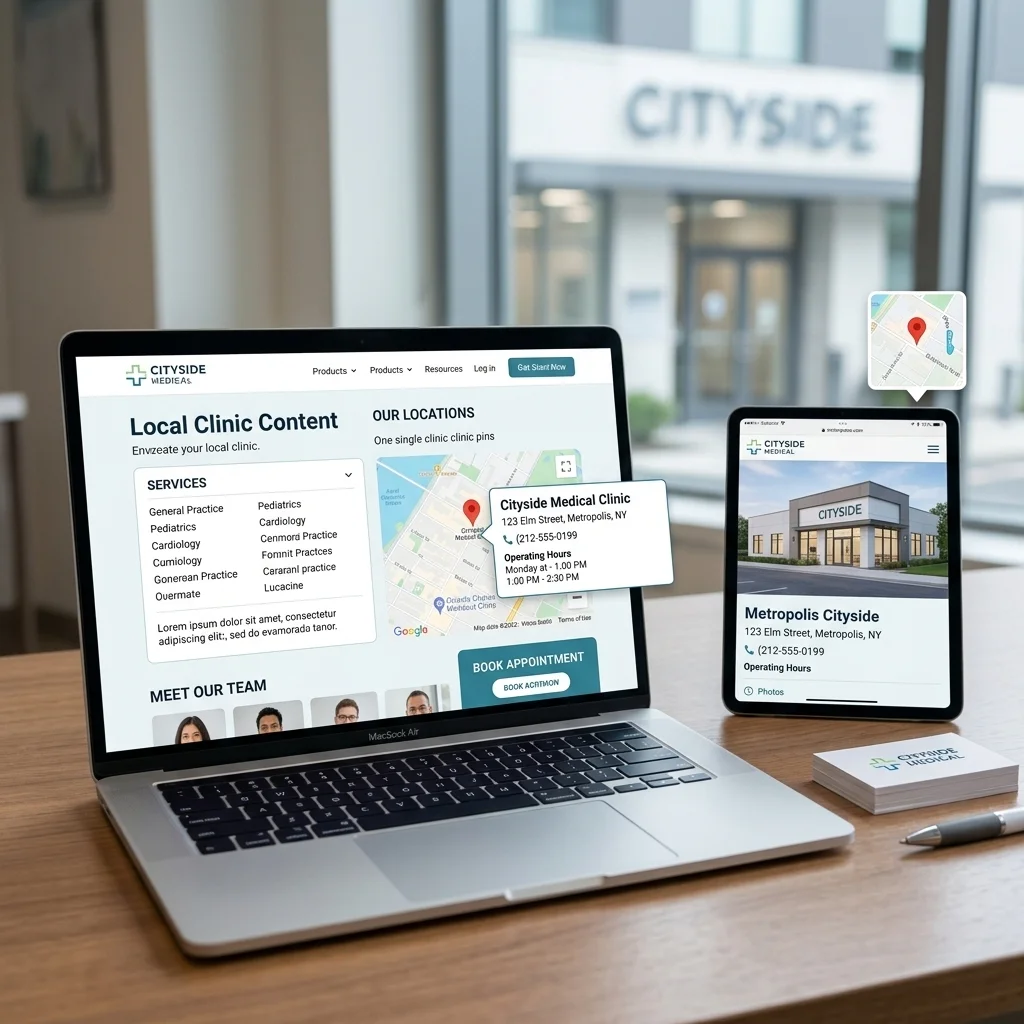
Location Pages for Healthcare Websites
Quick Answer:
Location pages for healthcare websites are dedicated pages built for each real clinic, chamber, hospital office, or practice location. Each page should include the exact Name, Address, and Phone number (NAP), hours, directions, providers, services, safe photos, and LocalBusiness or MedicalClinic schema.
They matter because local healthcare search depends on clear location signals. One unique page per real place helps Google match the right location to the right search and helps patients choose where to call, visit, or book.
| Disclaimer
This content is for general information only. It is not legal, medical, or compliance advice. HIPAA rules can be complex and depend on your specific situation. For privacy and compliance decisions, consult a qualified healthcare compliance professional or attorney. Google’s features and policies may change after publication; always check the official sources linked below.
|
This guide is for healthcare providers, clinics, and practitioners who want patients and Google to understand each real place where care is offered.
Your practice may be losing nearby patients without you knowing it.
Not because your care is weak.
Not because patients do not need you.
Not because your practice is too far away.
Your website has not provided Google with a single clear page that explains where you practice, what you offer there, and how patients can reach that location.
A patient may search for “orthopedic surgeon in Brooklyn.” Another may type “blood coming from anus,” “doctor near me for piles,” or “clinic open now near me.”
Patients do not always use medical terms. They use the words they know. They type what they feel, what they fear, or what they can explain.
Google then has to match that search with the right local answer. It needs to understand what care you provide, where you provide it, and whether patients can trust that location.
This is where many healthcare websites break.
A location page fixes this gap.
It is one page built for one real place where you see patients. One address. One phone number. One set of hours. One map. One list of services and providers for that location.
This guide shows you how to build those pages without duplicate content, confusing Name, Address, and Phone details, or weak trust signals.
What Location Pages Are for Healthcare
A location page is one page for one place. That is the whole idea.
It is not your homepage. It is not your services page. It is not only a contact page. It is the page that answers one local question: what care happens here, who provides it, and how does a patient reach this place?
For a healthcare practice, that page carries a heavy load. It tells a patient where to go. It tells them when you are open. It shows which providers work there and which services or conditions are handled at that location. It also tells Google exactly where your practice sits on the map.
Think of each location page as a front door. Your homepage is the building. The location page is the specific door a patient walks through.
You may be one doctor in one chamber. You may run one clinic. You may manage several hospitals or offices. The rule stays the same: each real place where patients can visit you deserves its own clear page.
Does each place where you see patients have its own clear door right now?
Why Healthcare Needs Location Pages More Than Most Fields
Most businesses want local traffic. Healthcare needs something heavier: trust in a worried moment.
A patient choosing a surgeon may be scared. A patient with bleeding may feel shame. A parent searching late at night may be tired and anxious. These people do not want a general website that makes them hunt for the right address. They want one clear place that meets their needs quickly.
A strong healthcare location page helps the patient in practical ways:
- It confirms you are nearby, so the patient can stop guessing.
- It shows real hours, so they do not travel to a closed door.
- It names the provider, so they know who may treat them.
- It lists services in the patient’s language, so they can recognize their problem.
- It gives one a clear phone number, map, and next step.
Google needs clarity, too. Its local ranking system looks at relevance, distance, and prominence. A location page supports all three. It explains what the location is relevant for. It ties that care to a real address. It builds trust through details, links, providers, and proof.
A homepage can describe your practice. It cannot clearly represent every location, every chamber, or every local search intent on its own.
A strong location page can own one place completely.
This page is part of the wider [link: Local SEO for Healthcare] system. It also connects with [link: Google Business Profile for Healthcare Providers] and [link: Healthcare Local Citations and NAP Consistency], because your profile, citations, and website pages should all tell the same local story.
Which location or chamber is still invisible on your website?
What Every Healthcare Location Page Must Include
A thin location page is not enough. A page with only a name, address, and map may exist, but it does not build much trust.
Each healthcare location page should carry real information that helps both patients and search engines. These are the core blocks.
Accurate NAP Details
NAP means Name, Address, and Phone number.
Show these details clearly near the top of the page. They should match your Google Business Profile and your important directory listings. Same name. Same address format. Same phone number.
If the location page says one thing and your profile says another, patients hesitate, and Google gets mixed signals. That is why NAP consistency matters. The full cleanup process belongs in [link: Healthcare Local Citations and NAP Consistency].
Hours, Directions, and Contact Options
List the real hours for that location. Add holiday hours when needed. Add a map, parking notes, building entry details, and one-tap directions.
Make the phone number easy to tap on a mobile. If online booking is available for that location, place the booking button near the top and again near the bottom.
A worried patient should not need three clicks to find out how to reach you.
Services at This Location
List only the services actually offered at that location.
This matters for single-location practices too. If you offer many services, the location page should still make clear what happens at that physical place.
Use both professional terms and patient words when helpful. A colorectal patient may search “blood coming from anus” or “doctor near me for piles.” A doctor may call those topics rectal bleeding or hemorrhoids. Good healthcare SEO respects both languages.
You do not need to turn the location page into a full-service page. Mention the services clearly, then link to the deeper service or condition pages.
Provider Information
Name the doctors or practitioners who see patients at that location. Add credentials, specialties, and links to provider pages.
This is not decoration. In healthcare, the person behind the care is one of the strongest trust signals on the page.
If the provider has registration numbers, board certifications, hospital affiliations, or clear experience, include them where appropriate. Keep the details accurate and easy to verify.
Local Schema Markup
Schema markup is code that helps search engines understand what the page represents.
For healthcare location pages, use LocalBusiness or a medical-specific type, such as MedicalClinic, where it fits. Add the location name, address, phone number, hours, map data, and geo-coordinates.
Schema does not replace good content. It supports it. The page still needs visible details that patients can read and trust.
Trust and Proof
Patients verify before they choose. Show the details that make the location feel real.
Use photos of the building, reception area, waiting space, entrance, parking, signage, and team when appropriate. Add a short note on what patients can expect at the first visit.
Be careful with photos. A healthcare location page should contain only business and practice information. Do not show patient faces, charts, appointment screens, prescriptions, or any protected health information. For edge cases, consult a qualified healthcare compliance professional.
Provider Page vs. Practice Location Page
This is where many healthcare websites get tangled.
A practice location page is about a place. A provider page is about a person. They are connected, but they are not on the same page.
The place answers “where.” The person answers “who.”
A patient searching for “orthopedic clinic in Malibagh” is looking for a place. A patient searching for a doctor’s name is looking for a person. Your website should serve both searches clearly.
A practice location page should cover:
- The address, hours, and phone number for that place.
- The services delivered there.
- The providers who work there.
- Directions, map, parking, and contact options.
A provider page should cover:
- The doctor’s or practitioner’s name.
- Credentials, experience, and specialties.
- Conditions or services they treat.
- Every location where that provider sees patients, with links to the matching location pages.
In healthcare, I have often seen this confusion begin when the website treats the doctor, the chamber, and the hospital as one.
Patients do not see it that way. Google does not either.
The provider is one entity. The location is another entity. The service is another layer. When those layers are separated and properly linked, the site becomes easier for patients to use and for Google to understand.
The two-page types should link to each other. The location page lists its providers and links to each provider page. Each provider page links back to every location where that person practices.
Are your pages clear about who provides care and where that care happens?
The Multi-Chamber Reality
Many healthcare professionals do not work in only one place. Specialists often see patients across chambers, clinics, hospitals, or diagnostic centers.
This is the real world. Generic SEO advice often skips it.
The safe structure is simple: one provider page for the person, and one location page for each real place where patients can visit.
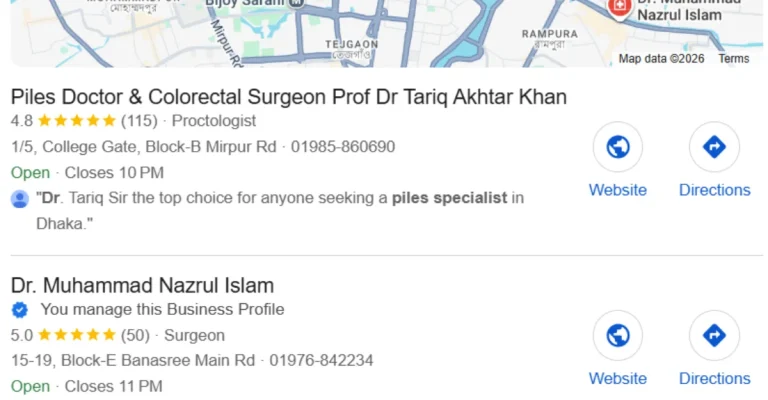
Example 1: Dr. Nazrul Islam
Dr. Nazrul Islam is a colorectal surgeon. His work is connected with more than one chamber, including Farazy Hospital and Module G Hospital.
The clean website structure would consist of one provider page for Dr. Nazrul and one location page for each chamber. The provider page explains his credentials, specialty, and the conditions he treats. Each location page explains the address, hours, services, and contact information for that specific chamber.
The provider page links to both location pages. Each location page lists him as a provider and links back to his provider page.
Example 2: Dr. Tanvir
Dr. Tanvir is an orthopedic surgeon who works at multiple locations, including IBN Sina Malibagh and Rashmono Specialized Hospital.
The same logic applies. One provider identity. Two distinct location pages. Each page needs its own address, hours, directions, services, and local details.
Do not copy the same text to both pages; only swap the address. That creates duplicate content and weakens trust. Each place has its own neighborhood, access details, hours, and patient context. Write each page as its own page.
Do your chamber pages each tell their own local story, or the same story twice?
Common Mistakes That Sink Location Pages
Location pages usually fail quietly. The page may exist, but it does not help patients or search engines enough.
Watch for these mistakes:
Duplicate content. The same text appears on every location page, with only the address changed.
Thin pages. The page has a name, address, and map, but no real service, provider, or trust details.
NAP mismatches. The phone number, address, or practice name does not match your Google Business Profile or citations.
Stale hours. Old hours send patients to the wrong place at the wrong time.
Fake or unstaffed addresses. Google’s business representation guidelines are strict about locations that do not serve patients in person.
No provider details. The page names the place but not the people who deliver care there.
Missing schema. Search engines have to guess what the page represents.
Orphan pages. The location page exists, but no important page links to it.
Weak mobile experience. The phone number, map, or booking button is hard to use on a phone.
Any one of these can weaken a location page. Most struggling healthcare sites carry several at once.
Which of these is hiding on your site right now?
How to Build Your Location Pages, Step by Step
You do not need to build every page at once. Start with one real place. Build it properly. Then repeat the same process with unique content for the next location.
Use this order:
- Map your real locations. List every physical place where patients can visit you. Do not create pages for fake, virtual, or unstaffed addresses.
- Set the exact NAP. Decide the exact Name, Address, and Phone number for each location. Match your Google Business Profile and citations.
- Define what happens at that location. List services, conditions, providers, hours, directions, and contact options for that place only.
- Write unique local content. Mention the area, patient access details, parking, nearby landmarks, and location-specific services. Do not copy-paste between pages.
- Add provider details. Name each doctor or practitioner at that location and link to their provider page.
- Add map and mobile actions. Include one-tap call, directions, and booking if available.
- Add LocalBusiness or MedicalClinic schema. Include NAP, hours, and geo-coordinates.
- Use patient-safe photos. Show the building and team where appropriate, but never expose patient data.
- Link the page to the site. Link from a location’s hub, provider pages, relevant service pages, and cluster content.
- Check on mobile. Most local searches happen on phones. Make sure the page loads fast, and actions work clearly.
One page. One place. One clear local answer.
Can you build one strong location page first?
Internal Linking: How Location Pages Fit Your Site
A location page, by itself, is a room with no doorway. Internal links create the doorways.
Build these connections:
From a locations hub. Create a one-page list of all real locations, with links to each location page.
From provider pages. Each provider page should link to every location where that provider sees patients.
To provider pages. Each location page should link to the doctors or practitioners who work there.
From relevant service pages. If a service is offered at that location, the service page and location page should support each other.
From your Google Business Profile. Where appropriate, point the profile website link to the matching location page, not always the homepage.
To and from cluster pages. Link to [link: Google Business Profile for Healthcare Providers] and [link: Healthcare Local Citations and NAP Consistency], where those topics are mentioned.
This link structure helps patients move from “where” to “who” to “what service” without confusion. It also helps Google understand how your healthcare website is organized.
A strong location page links out. A strong location page gets linked to. Both directions matter.
Are your location pages connected, or stranded?
How a Healthcare SEO Expert Builds Your Location Pages
You can build a basic location page yourself. But in healthcare, the details matter. A small mismatch can confuse Google. A weak provider structure can confuse patients. A careless photo can create a privacy risk.
A healthcare SEO expert helps turn a contact block into a trusted local asset.
What the expert does:
Maps your real locations and chambers.
Plans one unique page per real place.
Separates provider pages from location pages.
Writes content in both patient language and professional language.
Matches NAP details across your site, profiles, and citations.
Adds LocalBusiness or MedicalClinic schema.
Builds internal links across locations, providers, and services.
Keeps photos and content HIPAA-aware.
Tracks results honestly without promising exact rankings or patient numbers.
What you supply:
Every real place where patients can visit you.
Exact name, address, and phone number for each place.
Real hours, including holiday or chamber-specific hoServices offered at each location.
Provider names, credentials, and registration numbers.
Approved photos with no patient data.
Access to your website and content system.
This is where Salauddin Biswas brings a different lens. His training in Medical Anthropology helps him read how patients actually search: with fear, shame, urgency, simple language, and local need. That matters when building location pages for doctors, clinics, and hospitals.
A generic SEO writer may only see a keyword. A healthcare-focused writer sees the patient journey behind it.
For a colorectal surgeon, that may mean understanding why a patient searches for “blood coming from anus” rather than “colorectal specialist.” For an orthopedic surgeon, it may mean seeing the fear behind “knee pain doctor near me.” For a clinic, it may mean turning many services and providers into one clear local path.
Strong location pages do not guarantee a fixed ranking or patient count. No honest SEO professional can promise that. But they remove a real barrier. They make each place easier for patients to trust and easier for Google to understand.
Do you want each place you practice to become a clear local asset?
Quick Recap Checklist
Before you publish a healthcare location page, check these points:
One page per real, staffed location.
Exact Name, Address, and Phone number.
NAP matches Google Business Profile and citations.
Real hours and directions.
Services offered at that location only.
Providers named with credentials.
Unique content for that place.
LocalBusiness or MedicalClinic schema added.
Patient-safe photos only.
Clear internal links from hub, provider, and service pages.
Fast, clean mobile experience.
No ranking or patient-volume promises.
Frequently Asked Questions
What are location pages for healthcare websites?
Why do I need a separate page for each location?
Do single doctors need location pages?
What is the difference between a provider page and a location page?
I work across two chambers. How many pages do I need?
Can I use the same content on each location page?
What is schema markup, and do I need it?
Should my location page NAP match my Google Business Profile?
Can I put patient photos or testimonials on a location page?
How do location pages connect to my other SEO work?
Do I need an expert, or can I build these myself?
Your Next Step
About the Author
Editorial Note
References
- Tips to improve your local ranking on Google — Google Business Profile Help: https://support.google.com/business/answer/7091
- Guidelines for representing your business on Google (including individual practitioners) — Google Business Profile Help: https://support.google.com/business/answer/3038177
- The HIPAA Privacy Rule — U.S. Department of Health & Human Services: https://www.hhs.gov/hipaa/for-professionals/privacy/index.html
- Dr. Nazrul Islam, Colorectal Surgeon (real-world example): https://nazrulislamcolorectal.com/
- Dr. Tanvir, Orthopedic Surgeon (real-world example): https://tanvirothopedics.com/




3 Comments