Mobile-First SEO for Healthcare Websites: How Google Reads Your Site
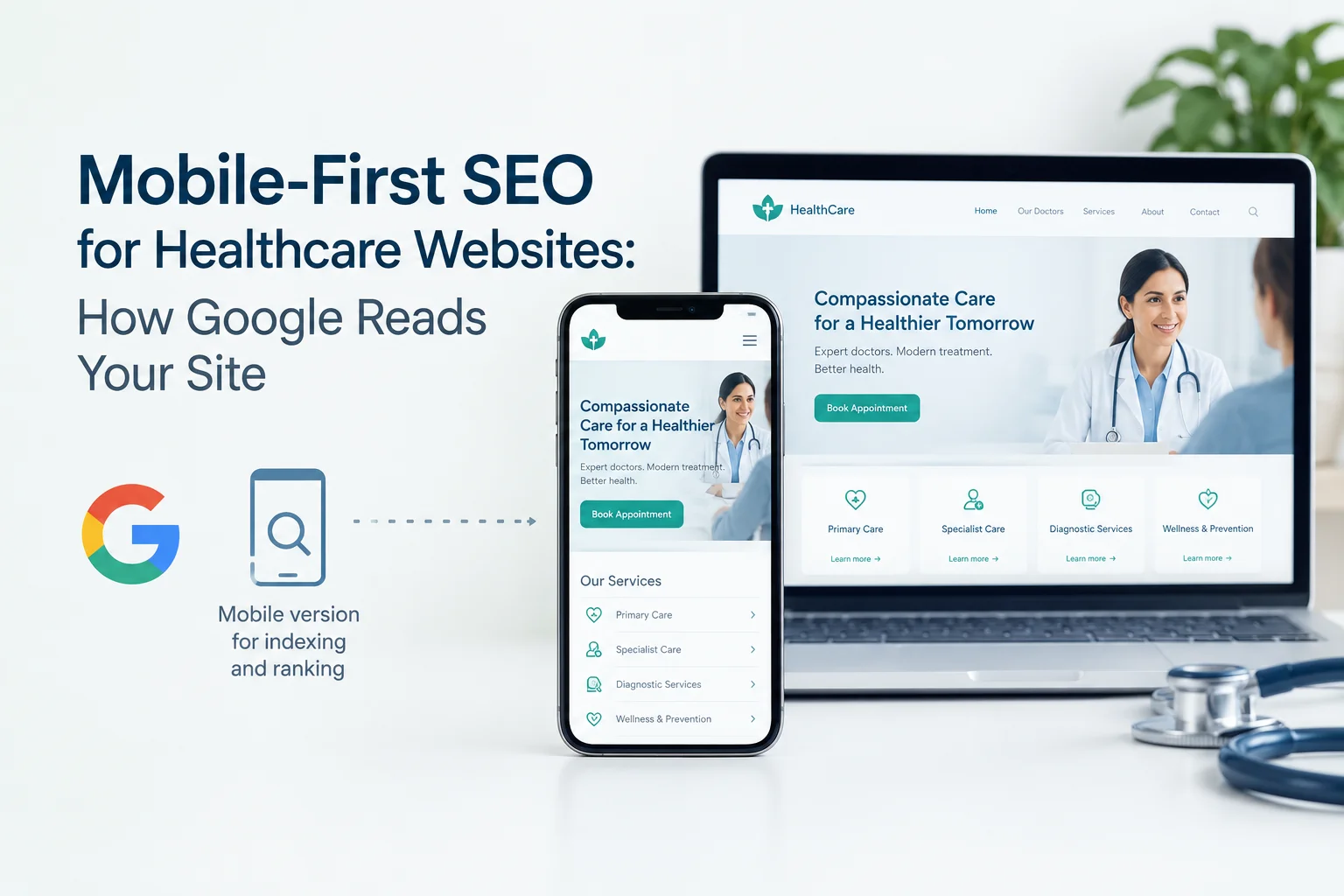
Quick Answer: Mobile-first SEO for healthcare websites means making sure Google can fully crawl, render, and understand the mobile version of your pages. Google uses the mobile version to index and rank your site. If provider details, service content, structured data, or internal links are missing or broken on mobile, Google may not see them at all. This is a technical indexing issue. It is separate from local SEO and general mobile design.
You approve a new service page on a wide desktop screen. It looks complete. The surgeon’s credentials are there. The procedure details are clear.
Now open that same page on a phone.
The bio may be cut short. The “related services” links may be gone. The booking widget may never finish loading. Google reads the phone version first.
This article explains how mobile-first indexing works for healthcare websites. You will learn where mobile and desktop content drift apart, how rendering problems hide content, and how to check your own site.
What Does Mobile-First SEO for Healthcare Websites means
Mobile-first SEO is the technical work of making your mobile pages complete, crawlable, and renderable for Google.
It matters because Google now crawls and indexes most sites with its smartphone crawler.
Google reads your mobile site first
Google describes mobile-first indexing in its Search Central documentation. In simple terms, Google uses the mobile version of a page’s content for indexing and ranking.
This change took years:
- 2016: Google announced it would start testing mobile-first indexing.
- 2019: Mobile-first indexing became the default for new websites.
- 2023: Google said the move to mobile-first indexing was complete.
- 2024: Google confirmed that its smartphone crawler would handle nearly all crawling. Sites that do not work on mobile at all risk not being indexed.
The key takeaway: your desktop page is no longer the version that counts most. The mobile version is.
What this page covers, and what it does not
Many healthcare teams use “mobile SEO” to mean three different things. They are not the same job.
- Mobile-first SEO (this article): what Google can crawl, render, and index on mobile.
- Local mobile search: how patients find nearby care on their phones. This belongs to Local SEO for Healthcare.
- Mobile design and speed: layout, usability, and load time. Speed metrics belong to Healthcare Website Speed and Core Web Vitals.
Keeping these apart helps you fix the right problem with the right team.
What Google needs to see on your mobile pages
Google’s mobile-first indexing guidance asks for one core thing: equivalent primary content on mobile and desktop.
For a healthcare site, check that your mobile pages include the same:
- Main content: provider bios, credentials, conditions treated, and service details.
- Headings: the same clear, meaningful H1 and H2 structure.
- Structured data: schema such as Physician, Medical Clinic, or Medical Organization, where you use it.
- Metadata: equivalent page titles and meta descriptions.
- Robots meta tags: no no-index or no-follow on mobile that does not exist on desktop.
- Images and alt text: the same important images with descriptive alt text.
- Internal links: links to key service, provider, and location pages.
If any of these exist only on desktop, Google may index a weaker page than the one you think you published.
Where mobile and desktop parity breaks on healthcare sites
Parity problems rarely start on purpose. They creep in through small design choices made to “keep mobile clean.”
Common parity gaps on healthcare websites
Here are patterns that appear often on healthcare sites:
- Trimmed provider bios. Education, board certification, or hospital affiliations get removed from the mobile template.
- Shortened service pages. “What to expect” or “who this treatment is for” sections get cut for mobile.
- Desktop-only schema. Structured data sits in a desktop template or a script that does not run on mobile.
- Cut-down menus. The desktop menu lists every specialty. The mobile menu shows five links.
- Tap-to-load content. Key text loads only after someone taps a button.
Each gap removes something Google would otherwise use to understand your page.
Accordions are fine; tap-to-load content is not
This point causes a lot of confusion, so let’s be precise.
Content inside a collapsed accordion or tab is usually fine. Google has said that content hidden for mobile usability can still be indexed, if it is already in the page’s HTML.
The real risk is content that only loads after a user action. Google’s documentation says Googlebot does not click, tap, swipe, or type. If your provider bio loads only when someone taps “Read more,” Google may never see it.
Remember this: hidden is often okay. Not loaded is the problem.
Why parity matters more for health content
Google’s Search Quality Rater Guidelines place health topics in the “Your Money or Your Life” (YMYL) category. These are topics where poor information could harm a person’s health or safety.
For YMYL pages, the guidelines set a higher bar for experience, expertise, authoritativeness, and trust (E-E-A-T). Quality raters do not directly change rankings. But the guidelines show what Google’s systems aim to reward.
Now think about what parity gaps remove. Credentials. Clinical review notes. Clear treatment details. These are the exact signals that build trust on a health page.
In short: a mobile page stripped of trust details is a weaker YMYL page, even if the desktop version is strong.
How mobile rendering problems hide content
Rendering is how Google turns your code into a page it can read. If rendering fails on mobile, content can disappear from Google’s view.
How Google handles JavaScript
Google processes JavaScript pages in three stages: crawling, rendering, and indexing.
Googlebot does run JavaScript. But Google’s documentation notes that pages may wait in a rendering queue. Rendering also depends on every needed file loading correctly.
So if a script fails, times out, or is blocked, the content it builds may not reach the index.
Lazy loading that Google cannot trigger
Lazy loading delays content until it is needed. It can help speed, but only when done well.
Google’s guidance says lazy-loaded content should load when it enters the viewport. It should not depend on scrolling, clicking, or typing. Googlebot does not scroll like a person.
Safe options include native loading=”lazy” for images and the Intersection Observer API. Risky options include content that loads only on a scroll event or a button tap.
Blocked files
Sometimes a robots.txt rule blocks the CSS or JavaScript files that mobile pages need. Google’s documentation advises against this. If Google cannot fetch those files, it may not render the page as patients see it.
The same failure blocks patients
Here is where technical SEO meets real people.
Picture a parent on a phone late at night. They want to know if a pediatric clinic takes their insurance. The insurance list loads through a script that fails on a weak connection. The parent sees a blank box and leaves.
Googlebot may hit the same failure. The content never gets indexed.
One broken script can cost you both a ranking and a patient.
Mobile navigation barriers that affect crawling
Google finds pages by following links. If your mobile navigation hides or breaks those links, Google may struggle to find and value your key pages.
Menus Google cannot follow
Hamburger menus are not a problem by themselves. The problem is how the links inside them are built.
Google’s documentation says it can reliably follow links that use an <a> element with an href attribute. Links built only with JavaScript click handlers, with no real href, may not be followed.
Check your mobile menu code, not just how it looks.
Missing links in mobile templates
Mobile templates often lose links over time. Different people make small edits. Nobody tracks the total effect.
Watch for these common losses:
- “Related services” blocks removed to shorten mobile pages.
- Breadcrumbs reduced to a single “Back” link.
- Footer links to specialties or locations dropped on mobile.
- Provider-to-service links that exist only in a desktop sidebar.
For a hospital with dozens of specialty pages, these losses add up. Deep pages get fewer internal links and become harder for Google to reach.
Separate mobile URLs
Some older healthcare sites use separate mobile URLs, such as m.example.com. Google recommends responsive design as the easiest setup to maintain.
If you still run a separate mobile site, Google’s documentation explains that the mobile and desktop versions need correct rel=”canonical” and rel=”alternate” annotations. They also need equivalent content. Mistakes here can confuse indexing.
How mobile page experience connects to rankings
Google’s documentation says its core ranking systems look to reward content that gives a good page experience. Core Web Vitals are part of that picture. They measure loading, responsiveness, and visual stability.
Google also says page experience is not a single ranking signal. Relevant, helpful content still matters most.
For this article, here is the key link: rendering and parity problems often appear next to speed problems. When a page is both incomplete and slow on mobile, both issues work against you.
This article owns the indexing and rendering side. For metrics, thresholds, and fixes, see Healthcare Website Speed and Core Web Vitals.
How to check your mobile-first readiness
You can run a quick first check with free tools. Google retired its standalone Mobile-Friendly Test in late 2023, so use these instead:
- Run the URL Inspection tool in Google Search Console. It shows which crawler Google used for your page. Run a live test to see the screenshot and rendered HTML.
- Compare rendered HTML with your desktop page. Look for missing bios, service sections, headings, and links.
- Test structured data on mobile. Google’s Rich Results Test lets you test with a smartphone crawler.
- Check mobile menu links. Confirm key links use real <a href> elements.
- Crawl your site as a smartphone. Many SEO crawlers let you set a smartphone user agent. Compare the results with a desktop crawl.
When you test booking or contact forms, use test details only. Never enter real patient information.
For a complete, step-by-step review, use the Healthcare Technical SEO Audit and Checklist.
Where mobile-first SEO fits in your technical plan
Mobile-first indexing is one layer of your technical foundation. Each related topic has its own home:
- The full technical picture: Technical SEO for Healthcare Websites
- Speed and Core Web Vitals: Healthcare Website Speed and Core Web Vitals
- Full audit process: Healthcare Technical SEO Audit and Checklist
- Patients searching for nearby care: Local SEO for Healthcare
- Mobile parity on location templates: Location Pages for Healthcare Websites
- Your listing in mobile results: Google Business Profile for Healthcare Providers
Each page goes deep on its own job. This one stays focused on what Google can crawl, render, and index on mobile.
Your next step
Google judges your healthcare website by its mobile version. That is the current standard, not a future plan.
The biggest risk is not complexity. It is that parity gaps, rendering failures, and broken mobile links stay invisible on a desktop screen.
Start with the five checks above. If you find gaps, or want an expert review, explore Healthcare SEO Services or request a consultation focused on mobile rendering, parity, and crawlability.
Frequently asked questions
What is mobile-first indexing in simple terms?
Google uses the mobile version of your page to index and rank it. If content is missing or broken on mobile, Google may treat it as if it does not exist.
Is mobile-first SEO the same as mobile-friendly design?
No. Mobile-friendly design is about layout and usability on small screens. Mobile-first SEO is about what Google can crawl, render, and index from your mobile pages.
Does Google index content hidden in accordions on mobile?
Usually yes, if the content is already in the page’s HTML. The risk is content that loads only after a tap or click, because Googlebot does not interact with pages.
How can I see what Google sees on my mobile page?
Use the URL Inspection tool in Google Search Console. Its live test shows a screenshot and the rendered HTML from Google’s smartphone crawler.
How long does it take Google to pick up mobile fixes?
It varies by site. Google’s documentation says recrawling can take from a few days to a few weeks. Ranking changes, if any, may take longer.
Is responsive design better than a separate mobile site?
Google recommends responsive design because it is easier to maintain. Separate mobile URLs can work, but they need correct annotations and equivalent content.
Disclaimer
This article gives general information about search engine optimization for healthcare websites. It is not legal, medical, or compliance advice. Google’s systems and documentation change over time. Always check current Google Search Central guidance, and talk to qualified professionals before making major technical or compliance decisions for your organization.
About the author
Salauddin Biswas (salauddinbiswas.com/insights) is a healthcare website structure and content strategist. He completed his MA in Medical Anthropology from Heidelberg University, Germany. Since 2017, he has supported U.S. and global healthcare providers from Bangladesh. His work focuses on transforming clinical expertise and medical credibility into digital visibility that reaches patients.
Former Senior Research Associate, James P Grant School of Public Health, BRAC University. Co-Researcher, REACHOUT Consortium.
References
- Google Search Central. Mobile site and mobile-first indexing best practices.
https://developers.google.com/search/docs/crawling-indexing/mobile/mobile-sites-mobile-first-indexing - Google Search Central. Understand the JavaScript SEO basics.
https://developers.google.com/search/docs/crawling-indexing/javascript/javascript-seo-basics - Google Search Central. Fix lazy-loaded content.
https://developers.google.com/search/docs/crawling-indexing/javascript/lazy-loading - Google Search Central. Link best practices for Google.
https://developers.google.com/search/docs/crawling-indexing/links-crawlable - Google Search Console Help. URL Inspection tool.
https://support.google.com/webmasters/answer/9012289